Which Wireless Doorbell

With so many on the market to choose from, which wireless doorbell is a question you may well ask yourself. And when looking to buy one, you probably want to decide on the styling and construction before making you final choice. These are also important factors that will influence your final decision.

If the look of your house is more in a period styling, you would most likely want to consider an old fashioned wireless doorbell. Or maybe even a antique model. Blending in with the fascia of your house to give a more consistent look is always desirable.This helps to avoid something that stands out like a sore thumb.

A traditional style wireless doorbell like the Byron will fit the bill with its chrome bell push button set on a naturally styled oak plinth. It contains a wireless extender which pairs up to a brass bell push. Thus giving a completely wireless connection that gets sent around the house when someone presses the doorbell.

What is the doorbell range?

The wireless doorbell range is one hundred meters which should be way beyond what most houses will require. And just to make it that little bit more authentic, you get a choice of eight melodies such as St. Clemens. A nice touch to complete the old fashioned period feel for a antique wireless doorbell.

Wireless doorbell with a light.

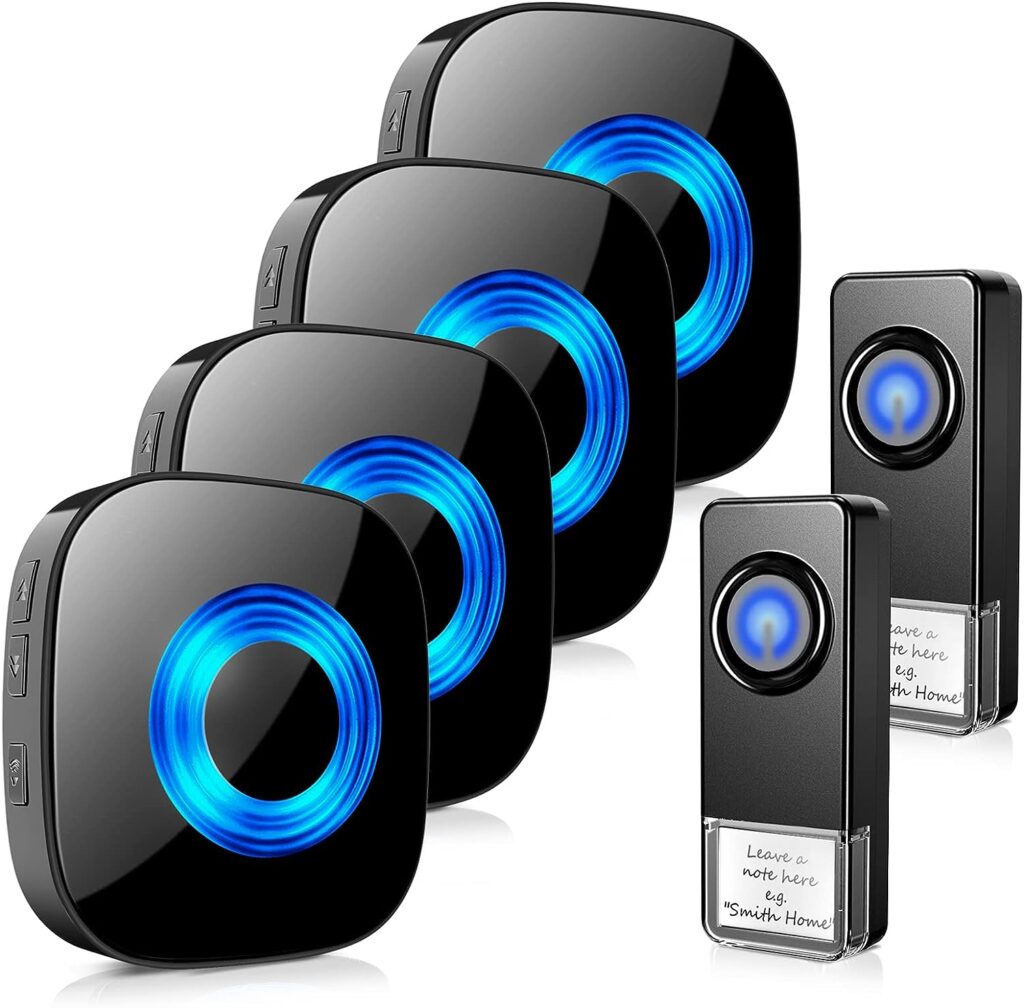
If you’re going for a more modern look then there are also many options to suit your requirements. For example if your house or flat is situated in an area where it is quite dark a lot of the time, then a wireless doorbell with light would be a great option. This will make it more visible to visitors or trades people.

A flashing or illuminated light will also be a great help to those who are partially sighted. Furthermore your front door may be exposed to the elements. If so a waterproof doorbell button is a must to prevent malfunction in the event of heavy rain. No point in having a doorbell that doesn’t work!

Most if not all of these models have a more than adequate range. Some even up to 300 meters which is a huge distance and highly unlikely you would ever need more. However should you find that the signal is not reaching certain parts of your house, then look into getting a wireless doorbell extender which will help boost the signal.

How durable is the doorbell

The construction of the doorbell is also important for durability and longevity. A metal wireless doorbell will likely prove to be more sturdy and last longer. However many of the current models are made of a very strong plastic and are suitably well built so it shouldn’t really be an issue for you when making your choice.

Without wishing to state the obvious, if you can’t hear the doorbell then it is not much use to you. So many will no doubt consider what is the loudest wireless doorbell before deciding which one to buy.

On a number of models you get four adjustable levels of volume from 25 to 85 decibels. This should be plenty loud enough for most folk. An option if that is still not audible enough is to have two receivers in the house. Then one can be suitably placed to enable it to be heard at all times in all areas. There are also a large selection of ring tones to try out in order to determine which is the easiest to hear. It has a memory function for the sounds and chimes.

A very neat little feature on some models is that you can switch the sound off and just have a visual flashing light indicator. This is particularly useful if you were watching a movie or your child or partner was trying to sleep.

So as you can see there are some great options to find the best wireless doorbell kit with all the bells and whistles (or chimes J) that you like and you should never now not answer the door to that important visitor.

How do I choose a wireless doorbell?
With the vast array of wireless doorbells available on the market, you can be excused if you become bewildered by the choices. So here are some key considerations to help you choose the right wireless doorbell:

  1. Range:
    • Consider the range of the wireless doorbell, especially if you have a larger home. Choose a doorbell with a range that can cover the distance between the doorbell button and the receiver, including any walls or obstructions.
  2. Frequency and Interference:
    • Look for a doorbell that operates on a frequency that is less prone to interference from other electronic devices in your home or neighboring homes. Some doorbells have multiple channels to help minimize interference.
  3. Power Source:
    • Wireless doorbells typically run on batteries for both the transmitter (button at the door) and the receiver (chime or speaker inside the house). Consider the type of batteries required and how often they need to be replaced or recharged.
  4. Weather Resistance:
    • If the doorbell will be exposed to the elements, choose a weather-resistant or waterproof model. This is especially important for the outdoor transmitter (button).
  5. Sound Options:
    • Check the available sound options for the doorbell chime. Some doorbells offer a variety of melodies, adjustable volume levels, or even the ability to upload custom sounds.
  6. Visual Alerts:
    • Some wireless doorbells come with visual indicators, such as flashing lights, to provide additional alerts for those with hearing impairments or in noisy environments.
  7. Installation and Compatibility:
    • Consider the ease of installation. Most wireless doorbells are straightforward to install, but some may require more complex setups. Ensure compatibility with your existing doorbell wiring if you’re replacing a traditional doorbell.
  8. Security Features:
    • Look for additional security features, such as video capabilities or the ability to connect to a home security system. Some wireless doorbells come with built-in cameras that allow you to see who is at the door.
  9. Smart Home Integration:
    • If you have a smart home system, check if the wireless doorbell is compatible with your existing setup. Some doorbells can integrate with platforms like Amazon Alexa, Google Assistant, or other smart home ecosystems.
  10. Brand Reputation and Reviews:
    • Research and read reviews about different wireless doorbell brands and models. A reputable brand with positive reviews is more likely to provide a reliable and durable product.
  11. Warranty and Customer Support:
    • Check the warranty offered by the manufacturer and the availability of customer support. A good warranty and responsive customer service can be important in case of any issues.
  12. Budget:
    • Determine your budget for the wireless doorbell. Prices can vary based on features, brand, and additional capabilities.

By taking into account these factors, you can choose a wireless doorbell that is right for you and provides reliable performance for your home.

Wireless Keyboard Mouse Combo

If you have a tablet device or even a laptop with a compact keyboard and a trackpad, you will know that it is not always easy to navigate and type. All tablets are touchscreen and even though the “keys” for typing can be quite accessible, it is not really designed for typing more than a few lines. The solution is to get a wireless keyboard mouse combo.

And one thing I personally dislike are the trackpads that come with virtually all laptops, be they PC or Apple. Having said that we are often asked what is the best keyboard that feels like a laptop. Laptop keyboards can be quite difficult to use in some cases trying to manipulate the cursor and especially when highlighting text or areas of the screen.

Is a wireless keyboard mouse combo the solution?

So what is the solution? For me it is a wireless keyboard mouse combo that solves both problems. There are many different makes and options these days, like a foldable wireless keyboard for ease of transportation or an ultra thin wireless version for space saving and an ergonomic look. Most are also rechargeable so you should always have it available to use even when away from your home or office. A three month battery life gives plenty of usage per charge which can be carried out with a micro USB cable.

What are the features to look for?

Most have features like an intelligent auto sleep function and an on off button that will help to preserve power for even longer and extend the life of the battery. Plug and play is standard for these devices so there is no need to download drivers, just plug the small wireless receiver into a USB port and you are ready for action.

And talking of action, all keyboards have a slightly different feel when pressing the keys. There are some great options if you are looking for a low profile wireless keyboard. For instance the Seenda Slim is a popular model with quiet keys and a responsive touch.

It does lack the numeric keypads so if you are particularly looking for that, then something like the Sonkir K-18 Ultra Thin Keyboard Mouse Combo might be better suited.

What about connectivity?

And another issue some users may worry about is the connection and whether it is stable or not. It is very frustrating when typing an important email or document and suddenly the keyboard or mouse loses the connection. The above Sonkir model uses the advanced 2.4Ghz wireless protocol to use one shared receiver for both the mouse and keyboard and therefore tying up just one USB port. With a range of up to 10 metres it is more than adequate for most users.

The majority of portable wireless keyboard mouse combos will be compatible with all versions of the Windows and Mac operating systems but check to be sure before purchasing.

If gaming is your thing, then a specifically designed wireless mechanical keyboard will be top of your list. These are high performance wireless keyboards with programmable keys and will make a huge difference to your gaming experience. If portability is important, then a mini wireless keyboard with touch pad mouse will be what you need to move about with ease. Or a wireless keyboard with trackball is another option to consider rather than touchpad.

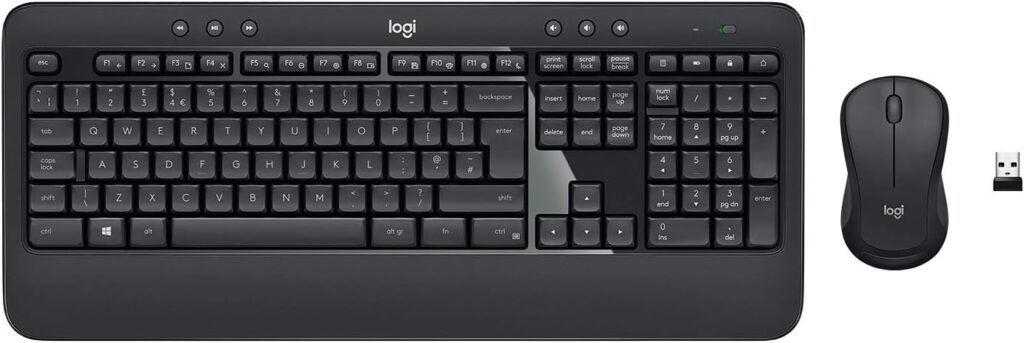
This Logitech keyboard and mouse combo with multimedia hotkeys is a great choice.

Buy on Amazon

Why a wireless keyboard mouse combo is the best solution?

A wireless keyboard and mouse combo is often considered a convenient and versatile solution for several reasons, but whether it’s the “best” solution depends on individual preferences and use cases. Here are some advantages of using a wireless keyboard and mouse combo:

  1. Cable Management:
    • Advantage: A wireless combo eliminates the need for multiple cables, reducing clutter on your desk. This can create a neater and more organized workspace.
  2. Flexibility and Mobility:
    • Advantage: Wireless devices provide greater freedom of movement. You can use them from a distance without being restricted by cables, which is particularly useful for presentations, living room setups, or situations where you prefer to sit farther from the screen.
  3. Clean Aesthetic:
    • Advantage: Wireless peripherals contribute to a cleaner and more aesthetically pleasing look, especially if you have a minimalistic or modern setup.
  4. Easy Installation:
    • Advantage: Wireless keyboards and mice are generally easy to set up. Most modern systems support plug-and-play functionality, reducing the hassle of dealing with multiple cables and connectors.
  5. Reduced Desk Clutter:
    • Advantage: Without the need for cable management, your desk can look less cluttered and be easier to clean. This can create a more organized and visually appealing workspace.
  6. Portability:
    • Advantage: Wireless keyboards and mice are often more portable, making them suitable for users who frequently move between different workstations or locations.
  7. Bluetooth Connectivity:
    • Advantage: Many wireless keyboard and mouse combos use Bluetooth technology, which allows for easy connectivity to a variety of devices, such as computers, tablets, and smartphones.

Despite these advantages, there are some considerations:

  • Battery Life: Wireless devices require power, and you’ll need to ensure that the batteries are charged or replaced regularly.
  • Latency: While modern wireless technology has minimized latency, some users may still notice a slight delay compared to wired peripherals, particularly in gaming or high-precision applications.
  • Initial Cost: Wireless keyboard and mouse combos can be more expensive than their wired counterparts.

Ultimately, the “best” solution depends on your specific needs and preferences. Some users may prioritize the cleanliness and flexibility of wireless options, while others might prefer the reliability and potentially lower cost of wired peripherals. Consider your own usage patterns, the specific demands of your tasks, and your personal preferences when making a decision.

Portable Waterproof Bluetooth Speaker

Everyone likes to listen to music on the go and what better way than on a portable waterproof bluetooth speaker. On the go can mean a day beside the pool, a day at the beach or even just a simple activity like taking a shower. So what’s better than taking your speaker with you to blast out some of your favourite tunes or listen to the radio.

Now that’s great except for the fact that there is a lot of water at the beach, in the pool or in your shower. Or if bad luck strikes and a sudden downpour of rain happens to catches you out when you are out and about.

Not a problem, enter the portable waterproof bluetooth speaker to save the day!

Which portable waterproof bluetooth speaker?

These days there a number of models that have been made waterproof by the manufacturers to meet the growing demand. Of course when considering a waterproof speaker, you still want the consideration of great sound quality. Crisp trebles, detailed mid frequencies and strong resonant bass are what you want. And on top of that, long playing time, good connectivity, easy pairing, portability and maximum range will be important factors in the decision buying process. Additionally TWS enables you to connect two Bluetooth speakers to achieve true stereo sound. And if you are in the pool, then how about the loudest waterproof floating bluetooth speaker? This will let you keep the music flowing even in the middle of the pool! Of course there are times when you want to listen indoors and waterproof will come in handy if you want a bathroom bluetooth speaker.

How waterproof is the speaker?

The waterproof element varies from speaker to speaker in so much as how much water and how long the speaker can withstand. Something like the Tribit Bluetooth can withstand up to 30 minutes in three feet of water which provides plenty of assurance about its durability. Others will resist gentle water spray and splashing but can’t be fully submerged. So pool parties and even a long shower won’t present a problem for the more water resistant models. And if you’re going to the beach, a sand proof Bluetooth speaker is what you want like the Sony SRS-XB12 which also claims to be mud proof and dust proof.

Some wireless Bluetooth outdoor speakers can also be used as a powerbank to charge your phone which is very useful and a great option to have over and above its normal use. And you can make hands free calls with a voice activated bluetooth speaker like the Tronsmart with a voice assistant you can activate.

There really are so many great portable waterproof wireless Bluetooth speakers to choose from that you might be spoilt for choice. It is best to decide what the most important factors and features are when choosing a speaker and then make your choice accordingly.

Happy swimming, showering and listening!

Portable Wireless Hard Drive

Which portable wireless hard drive is best? Given it is a relatively new way of backing up data as the vast majority of external hard drives are connected by USB cable, this is a relevant question. Normally this would be the easiest way to back up or copy your data from a computer. But when you are wanting to back up say photos and videos from a smart phone or tablet, then a wireless external drive is an alternative to the cable variety.

How can I use my wireless external drive?

It should also be remembered that a wireless portable external drive is not just for copying or backing up, but can be used as a media streaming source for your smartphone or tablet. These devices don’t typically come with huge storage options, most being between 16 and 128GB. Some allow Micro SD cards to extend the storage but if you own an apple device, this is not an option. Videos in particular can take up very large disk space.

If you are travelling then a portable wireless drive is a great option to be able to watch movies or transfer data to and from your device. USB ports are not always readily available for a conventional external hard drive so there is much greater flexibility with a wireless version. Most PC’s and laptops now have a wireless card so connecting to your computer couldn’t be easier to back up files.

In recent years the solid state (SSD) external drive has come to the fore. Unlike conventional drives that use a disk to write to and have moving mechanical parts, solid state drives use flash memory and therefore are more suited to being moved about for those doing a lot of travelling. And most have a battery which adds to their ability to be used when on the go. Some drives even have an SD card slot to back up content from the drive or to make it easy to transfer photos from your phone or tablet.

If you buy a wireless hard drive with wifi you will want to check the apps that come with the drive. This will in the main be with your smartphone or tablet device.

Wireless connections aren’t quite as fast as wired but they will still give you fast transfers than won’t make you wait too long for data to be transferred. And the convenience of not having to plug and unplug every time will make your wireless external hard drive ofr smartphone, PC mac or tablet a great option for your storage and streaming needs.

SSK 1TB Portable Wireless Drive

Something like the SSK 1TB drive covers a lot of bases. With personal cloud storage and a personal WiFi hotspot not to mention auto backup and remote access, your backup and wireless needs are very well catered for. It is a large capacity drive and has point to point transmission so your data is quite secure.

The convenience of having all your data in one place cannot be underestimated. From your PC, Mac, IOS and Android device, all kinds of storage devices can be accommodated. This is one portable hard drive with WiFi that is well worth checking out.

Bluetooth Headphones Over The Ear

You can’t really argue about the comfort and ease of use of bluetooth headphones for over or on the ear. Without those annoying cables, they give greater freedom of movement and flexibility when out and about. In recent years audio quality has risen while the costs have dropped. That has been since Apple introduced their Airpods with their wireless element, there has been a greater than ever demand for this type of headphone.

So what are the pros and cons of the two types that are Bluetooth heaphones on the ear or good in ear headphones. Over the ear headphones will give a greater noise cancelling element and produce a fuller sound but are obviously larger and more bulky than in ear phones. There are foldable Bluetooth headphones which are compact and make this type far easier to carry. This will be an important factor in where and how you will be wearing them. For instance if you are travelling a lot, particularly on trains, then the ability to cut out external noises will be more important. However if you are doing a lot of exercise like running or working out in the gym, then in ear wireless earphones will much more likely appeal because of their size and weight.

When wearing Bluetooth wireless headphones it is important to keep them within range of your smartphone or tablet. Unlike wired headphones, it is very easy to wander about and forget that you may suddenly get outside the range of your device. There are few things more frustrating than have your audio drop out momentarily or even for longer periods. Bluetooth connectivity can sometimes be slightly problematic, either getting the devices paired, or maintaining the connection. Firstly always check that your headphones are compatible with your smart device and then make sure that there aren’t too many other devices connected wirelessly. Overload can affect the ability to connect or stay connected via Bluetooth.

There is such a choice these days that it is difficult to decide what are the best Bluetooth wireless headphones over the ear or in ear. It is best to go on Amazon or Google and check reviews and find out what other people are saying. Then decide what type you want. You might want to find the best bluetooth headphones under 200 for cycling or running so check what people are using for those activities.

There are loads of quality brands like Beats, Sony, Sennheiser, AKG and  Bose so you will be spoilt for choice. Whatever make and model you choose, the freedom that these types of headphones offer will enhance your music listening for a long time to come.

Why are on the ear bluetooth headphones best?

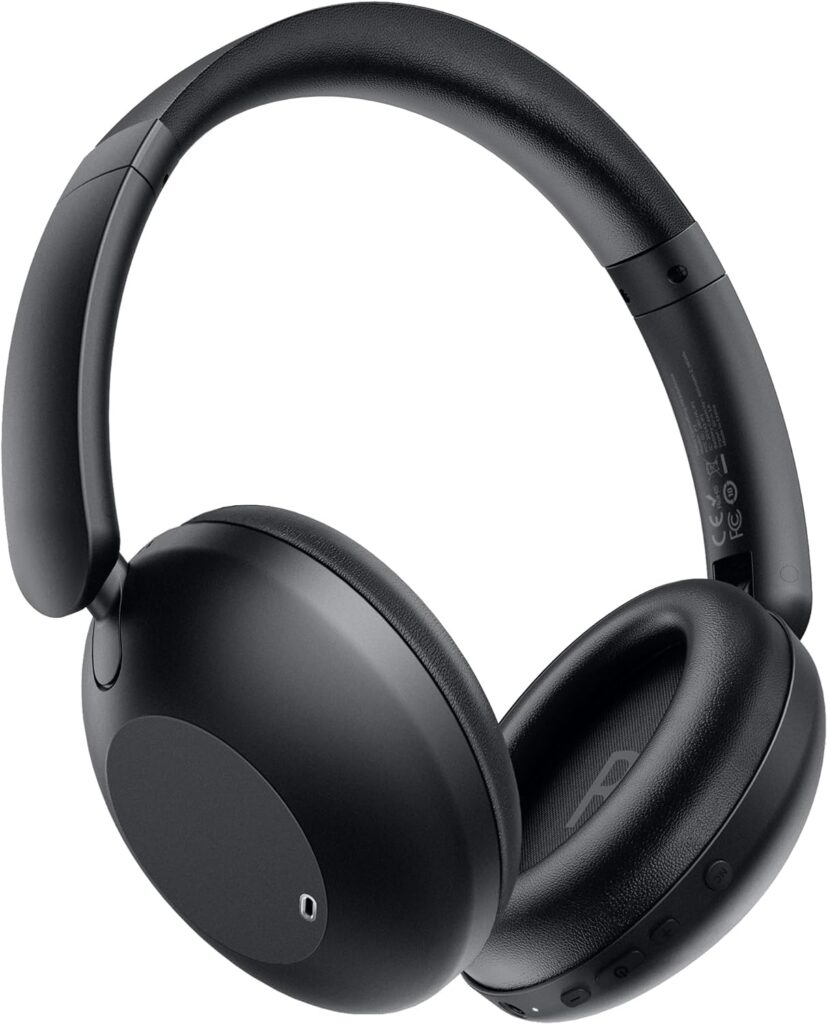
Sony WH-CH520 Wireless Bluetooth Headphones – buy on Amazon

Whether on-ear Bluetooth headphones are considered the “best” depends on individual preferences and use cases. On-ear headphones have their advantages and drawbacks compared to other types of headphones, such as over-ear or in-ear models. Here are some reasons why someone might prefer on-ear Bluetooth headphones:

  1. Portability:
    • On-ear headphones are often more compact and lightweight than over-ear alternatives. This makes them easier to carry and more suitable for on-the-go use.
  2. Comfort:
    • Many users find on-ear headphones more comfortable than in-ear models, as they don’t insert into the ear canal. However, comfort can be subjective, and some users may still prefer the fit of over-ear headphones.
  3. Breathability:
    • On-ear headphones typically allow more airflow around the ears compared to over-ear models. This can be beneficial in warmer climates, reducing the likelihood of discomfort due to heat.
  4. Aesthetics:
    • Some users prefer the sleek and less bulky appearance of on-ear headphones, which can be more discreet than over-ear models.
  5. Convenience:
    • On-ear headphones are often easier to put on and take off quickly compared to over-ear headphones, making them convenient for short listening sessions or when you need to be aware of your surroundings.

However, it’s important to note that there are potential drawbacks to on-ear headphones:

  1. Isolation:
    • On-ear headphones may not provide as much noise isolation as over-ear models, which fully enclose the ears. This can be a consideration if you frequently use headphones in noisy environments.
  2. Sound Leakage:
    • On-ear headphones may leak more sound to the surrounding environment compared to over-ear headphones, which could be a concern if you want to keep your music private.
  3. Ear Pressure:
    • Some users may experience discomfort or pressure on the ears during extended use, particularly if the headphones have a tight fit.

Ultimately, the “best” headphones depend on your personal preferences, the intended use, and factors like comfort and portability. It’s recommended to try different types of headphones to find the style and features that align with your specific needs.

Is there a way to connect wireless headphones without bluetooth?

The answer is yes, there are alternative ways to connect wireless headphones without using Bluetooth. Here are some methods:

  1. RF (Radio Frequency) Wireless Headphones:
    • Some wireless headphones use RF technology to transmit audio signals. These headphones typically come with a base station that connects to your audio source, and the headphones communicate with this base station using radio frequency. RF wireless headphones provide a longer range than Bluetooth and do not require a direct line of sight.
  2. Infrared (IR) Wireless Headphones:
    • Infrared wireless headphones use infrared signals to transmit audio. The headphones have an infrared receiver, and the audio source, such as a TV or stereo system, has an infrared transmitter. The transmitter sends audio signals to the headphones, and the headphones receive the signals as long as there’s a clear line of sight between the transmitter and the headphones.
  3. Wireless Audio Transmitter/Receiver Kit:
    • You can use a wireless audio transmitter and receiver kit to convert your wired headphones into wireless ones. These kits typically include a transmitter that connects to your audio source (e.g., TV, stereo, computer) and a receiver that plugs into your headphones. The transmitter sends audio signals wirelessly to the receiver, allowing you to use your existing wired headphones without Bluetooth.
  4. NFC (Near Field Communication) Adapters:
    • Some wireless headphones support NFC technology. If your audio source has an NFC adapter, you can use it to connect wirelessly to the headphones without Bluetooth. NFC enables quick and easy pairing by simply tapping the adapter to the headphones.
  5. Wi-Fi Audio Streaming:
    • Some wireless headphones support Wi-Fi connectivity for audio streaming. In this case, the headphones connect directly to your Wi-Fi network, and you can stream audio from compatible devices on the same network. This method may require specific headphones and audio sources that support Wi-Fi streaming.

When considering these alternatives, it’s important to check the compatibility of your headphones and audio source. Additionally, be aware of the range limitations and any potential interference with other devices. Each method may have specific requirements, so refer to the user manuals of your headphones and audio source for detailed instructions on how to set up and use these wireless connectivity options.